New in Capo 4.7
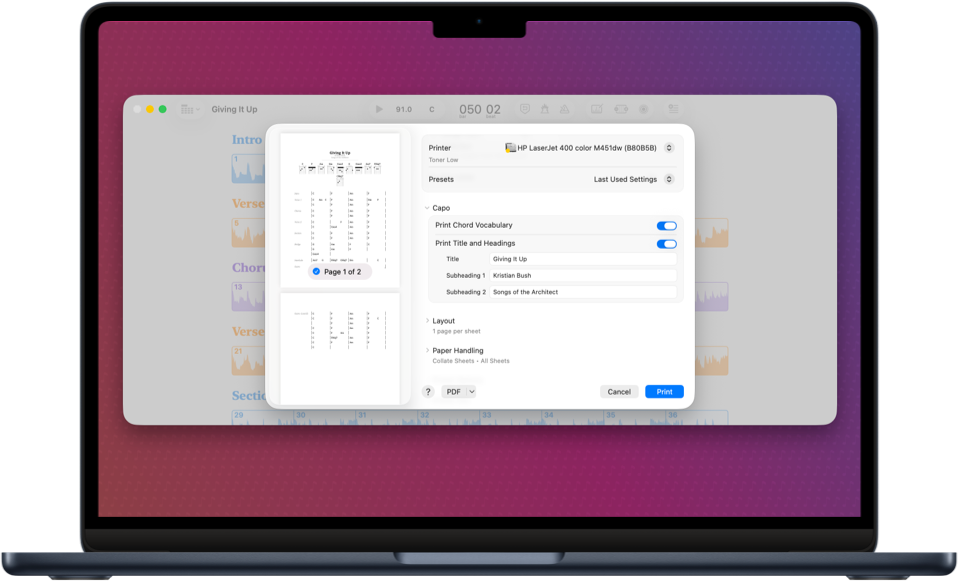
Capo can now print and export publication-quality PDF lead sheets, and Call & Response mode helps you practice with regions more effectively.
New Features
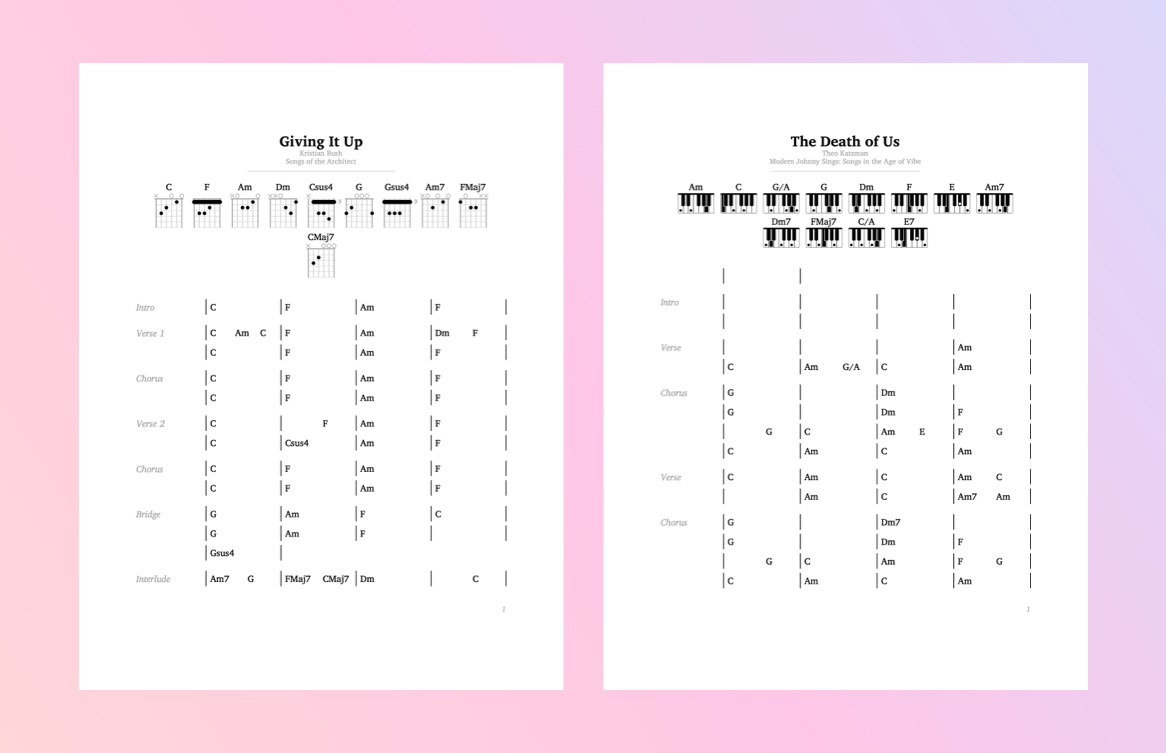
Professional, Publication-Quality Lead Sheets
Many of you asked for this, and we're happy it's finally here! Capo can now produce a high-quality printed lead sheet from the sections and chords in the project. Take the sheet to band practice, or create one for your students to learn at home.
Call & Response Mode
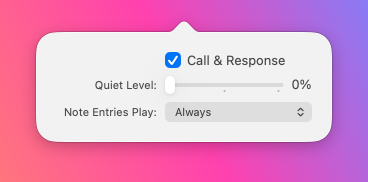
Now you can have looping regions alternate between the recording and quiet playback to help you practice more effectively.
Enhancements & Bug Fixes
Count-In Improvements
The metronome can now be configured so that it only plays the click during the count-in to get you started. Count-in now works anywhere in the song, without requiring an active region. Also, you can now start within the bar to get fewer count-in beats.
Edit Notes While Looping
Capo won't deactivate your active looping region when you attempt to make changes to the note entries. With Call & Response mode, you can tweak your note entries and adjust them until they match what you hear in the song.
New User Guide
We've improved the user guide and moved over to a new online format that now includes a search feature.
Export and Audio Fixes
The exported MIDI files now correctly apply the project's transposition settings, and the metronome timing has been improved—eliminating a very slight delay between the count-in and loop playback clicks.
Custom Tunings Tweak
If you've set up a custom tuning before (with help from support), it will now appear in the chords song view settings.
… and More UI Fixes
Capo now changes the metronome icon when count-in is active; a focus ring no longer appears around window titlebar buttons; the last string in the guitar chord boxes doesn't appear darker than the rest; and the tap beats sheet doesn't lock up and prevent dismissal anymore.


Capo requires macOS 14 Sonoma or later