32 Using Isolation
Capo includes an isolation effect that lets you easily extract or eliminate the instruments or vocals in a song with only a few adjustments.
A stereo mix is made up of many sound sources: a guitar, drums, bass, lead vocals, backup vocals, and so on. When combined on a mixing board, individual sources are panned between the left and right channels to create the illusion of positioning on a “sound stage”.
Capo’s isolation gives you three main controls: pan, width, and frequency range. These controls let you pinpoint individual sound sources within a stereo mix. You will hear the impact of your changes immediately, and you can also see them represented in the Pan Energy display (Figure 32.1).

32.1 Pan and Width
The pan slider lets you sweep between the left and right channels, looking for the spot where your target instrument is placed in the stereo field. For example, vocals are usually mixed right in the center, so you’ll want to set the slider in the middle if that’s what you’re isolating.
The width slider controls how much of the stereo field you want to capture at once. Sometimes, effects are applied to the sound sources (like reverb, or chorus) that will spread them out in the mix, and in those cases you want to set the width a little wider to hear the target instrument more clearly.
These sliders are visually represented by the darker “lobe” shape you see in the Pan Energy display in Figure 32.1 that represents a pan to the left with a narrow width.
32.2 Frequency Range
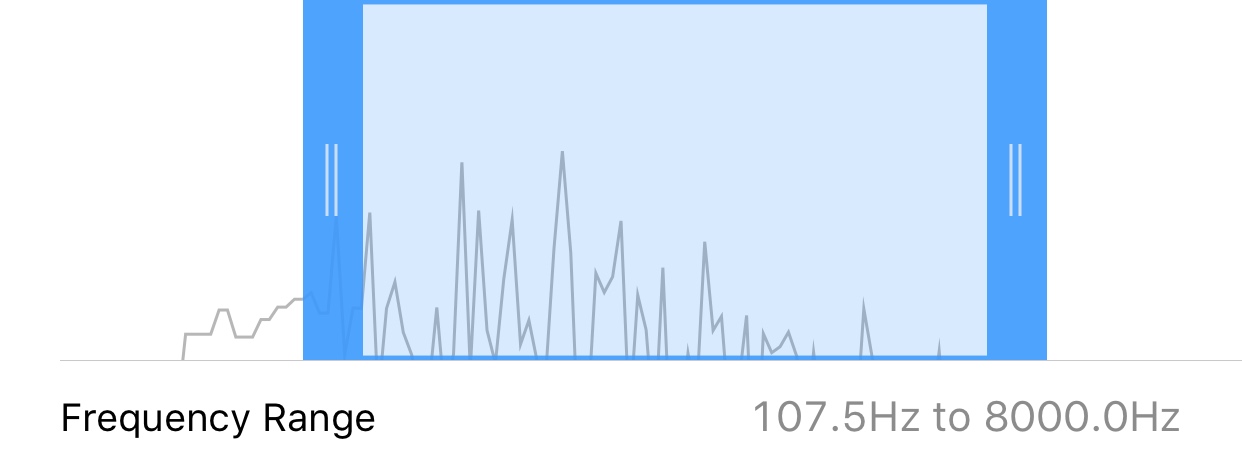
You can set the isolation effect to work on a portion of the frequencies in the recording, and it works similar to a high-resolution graphic equalizer. For example, you might want to use these controls to focus on the low frequencies so you can better hear the bass, which is often mixed in the middle with the drums and vocals. Or you might want to hear mid-range frequencies to highlight a guitar (Figure 32.2).
32.3 Solo vs. Mute Mode
When the isolation effect is running in Solo mode, your isolation settings define the panning and frequency range of the instrument or vocal that you’re trying to hear more clearly.
When the isolation effect is running in Mute mode, it behaves the opposite way as Solo. Your isolation settings define the panning and frequency range of the instrument or vocal that you wish to eliminate from the track.
Older recordings work best with isolation because instruments are placed at extreme pan positions (e.g., the piano is panned to the left, and guitar to the right).
Isolation needs stereo audio to work, and will not work with mono (i.e., one-channel) recordings.